
| ตะกร้าสินค้าของคุณ |
|---|
| ไม่มีสินค้าในตะกร้า |
| สินค้าขายดี |
|---|
 032 รวม ไฟล์ PSD เสื้อสูท-ชุดราชการ
40 บาท
032 รวม ไฟล์ PSD เสื้อสูท-ชุดราชการ
40 บาท
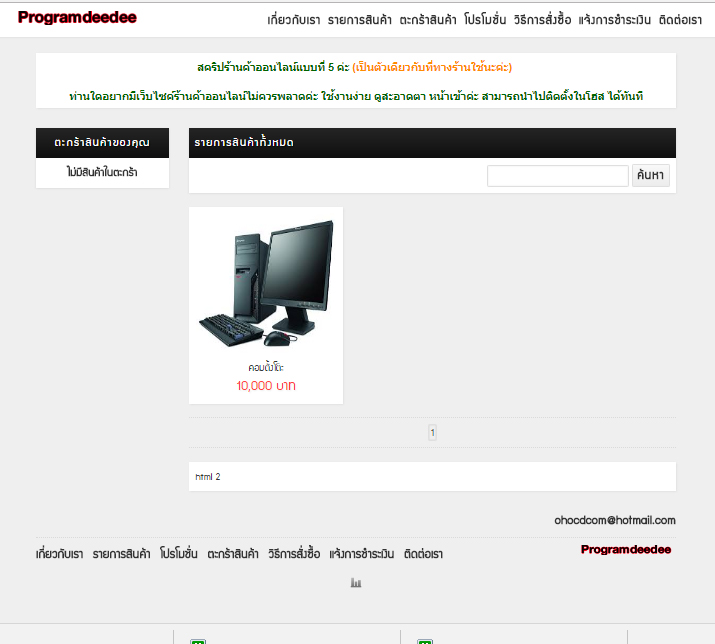 4222 สคริปร้านค้าออนไลน์แบบที่ 5
700
500 บาท
4222 สคริปร้านค้าออนไลน์แบบที่ 5
700
500 บาท
 แฟซไดร์ฟ ลง Windows (Xp+7+8.1+10+11
450 บาท
แฟซไดร์ฟ ลง Windows (Xp+7+8.1+10+11
450 บาท
|
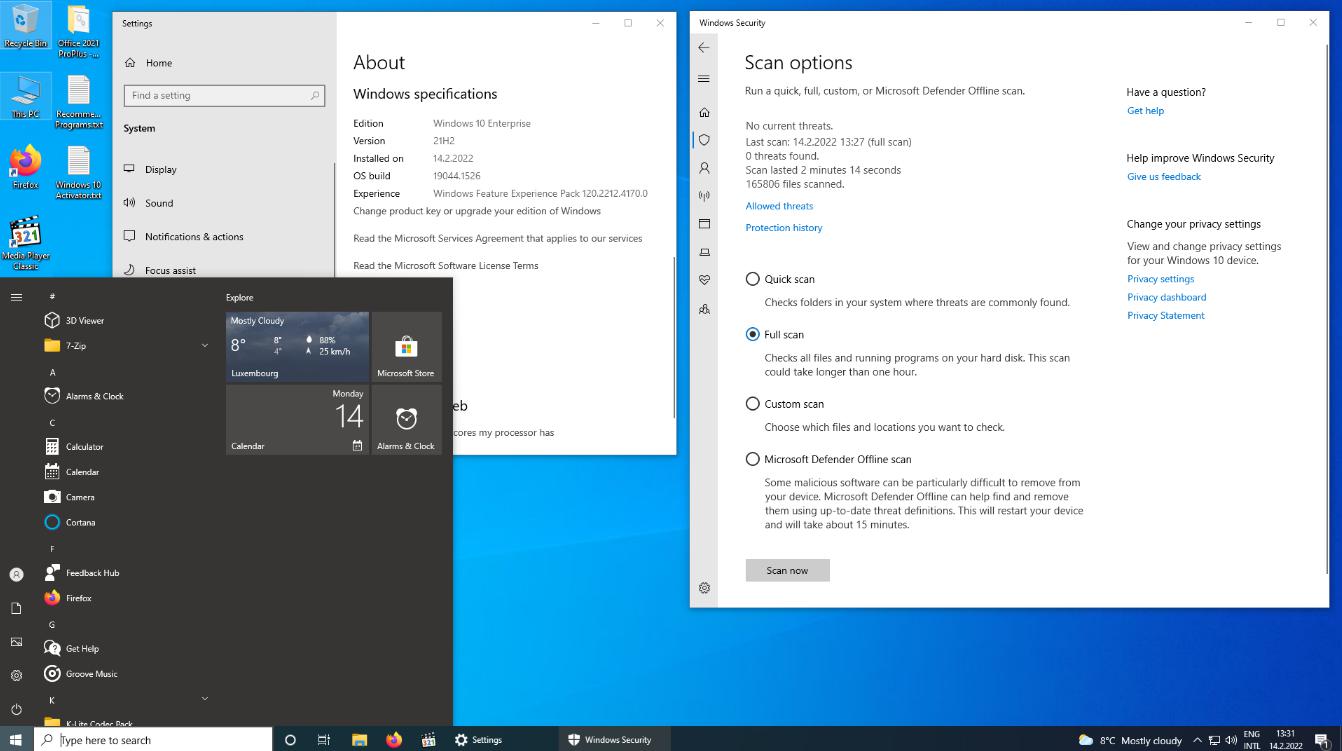
| 7533 Windows 10 21H2 16in1 en-US x64 - Integral Edition 14.02.2022 |
|---|
|
เลื่อนดูรายละเอียดเพิ่มเติม
เลื่อนดูรายละเอียดเพิ่มเติม
.jpeg)
|
| รายละเอียดสินค้า |
|---|
|
== ขนาดไฟล์ 4.91 GB ฝากไฟล์ส่งลิงค์ให้ดาวโหลดเท่านั้น== Windows 10 Updates: * All the Windows 10 21H2 x64 Updates are included until 10.2(February).2022: 1. KB890830 - Windows Malicious Software Removal Tool, version 5.98.18927.1. 2. KB2267602 - Security Intelligence Updates for Windows Defender Antivirus, version 1.357.399.0. 3. KB4052623 - Update for Windows Defender Antivirus antimalware platform, version 4.18.2201.10. 4. KB4559309 - Microsoft Edge (Chromium), version 98.0.1108.50. 5. KB4589212-v2 - Intel Microcode Updates for Windows 10, version 21H2. 6. KB5003791 - Feature Update to Windows 10, version 21H2 by using an Enablement Package (19044.1237). 7. KB5007401 - Critical .NET Framework 3.5 Dynamic Update for Windows 10, version 21H2. 8. KB5008575 - Mixed Reality Asset Update for Windows 10, version 21H2. 9. KB5009467 - Cumulative Update for .NET Framework 3.5 and 4.8 for Windows 10, version 21H2. 10. KB5009645 - Safe OS Dynamic Update for Windows 10, version 21H2. 10. KB5009647 - Setup Dynamic Update for Windows 10, version 21H2. 12. KB5010342 - Cumulative Update for Windows 10, version 21H2 (OS build 19044.1526).
(#) Windows 10 Runtime Libraries:
* DirectX End-User Runtime v9.29.1974 (June 2010) x86/x64. * Visual C++ Redistributable 2002 v7.0.9975.0 x86. * Visual C++ Redistributable 2003 v7.10.6119.0 x86. * Visual C++ Redistributable 2005 SP1 v8.0.50727.6229 x86/x64. * Visual C++ Redistributable 2008 SP1 v9.0.30729.7523 x86/x64. * Visual C++ Redistributable 2010 SP1 v10.40219.473 x86/x64. * Visual C++ Redistributable 2012 Update 5 v11.0.61135.400 x86/x64. * Visual C++ Redistributable 2013 Update 5 v12.0.40664.0 x86/x64. * Visual C++ Redistributable 2015-2022 v14.31.31103.0 x86/x64. * Visual Basic Runtime v1.00 x86. * Visual Basic Runtime v2.0.9.8 x86. * Visual Basic Runtime v3.0.5.38 x86. * Visual Basic Runtime v4.0.29.24 x86. * Visual Basic Runtime v5.2.82.44 x86. * Visual Basic Runtime v6.1.98.39 x86 (SP6 Update KB2911777, KB2992332).
(#) Pre-Configured Windows 10 Settings:
* .NET Framework 3.5 = Installed. * OneDrive Auto Install = Disabled. * Diagnostic Data Collection = Disabled. * Show all File Extensions = On. * Show hidden files, folders and drives = On. * Bing Web Search in Start Menu = Disabled. * File Progress Dialog = Detailed. * Combine Taskbar Buttons = Never. * Windows Theme Color = Storm. * Windows Theme Accent Color = On. * Default Browser = Firefox. * Default Media Player = Media Player Classic. * Default File Archiver = 7-Zip.
(#) Additional Applications:
* Microsoft Office 2021 Professional Plus x86/x64 (Online Installer v2.2.3). * 7-Zip v21.07-beta x64 (With a few Pre-Configured Settings). * Mozilla Firefox v97.0.0 x64 (With a few Pre-Configured Settings). * K-Lite Codec Pack Full v16.8.0 x86/x64 (With a few Pre-Configured Settings). * OpenHashTab v3.0.1 x86/x64 - Setup System.
[---------- INFORMATIONS ----------]
* Includes 16 Windows 10 x64 Editions ("Enterprise" has the most Features): Windows 10 Home Single Language Windows 10 Home Windows 10 Home N Windows 10 Pro Windows 10 Pro N Windows 10 Pro Education Windows 10 Pro Education N Windows 10 Pro for Workstations Windows 10 Pro for Workstations N Windows 10 Education Windows 10 Education N Windows 10 Enterprise Windows 10 Enterprise N Windows 10 Enterprise multi-session Windows 10 IoT Enterprise Windows 10 Team INFOS about the Windows 10 "Editions": http://wikipedia.org/wiki/Windows_10_editions INFOS about the Windows 10 "N": https://support.microsoft.com/topic/media-feature-pack-list-for-windows-n-editions-c1c6fffa-d052-8338-7a79-a4bb980a700a * All the Windows 10 Language Packs can be downloaded directly over the Windows 10 Language Settings Menu. * This Windows 10 was never in AuditMode and was compiled with the DISM (Deployment Image Servicing and Management) tool based on the Windows 10 19041.1 en-US x64 source. * All the included extras can be modified or removed in the ISODisc folder ".sources$OEM$" (By deleting the $OEM$ folder, only the KB* updates are integrated, except for update #1 and #4). * A Windows 10 Activator is not included, but a Text file is placed on the Desktop with a direct download link to a working Activator. * System Requirements are (Minimum|Recommended): 1|3 GigaHertz x64 Processor, 1|4 GigaBytes of RAM, DirectX 9 Graphics card, 30|40 GigaByte of free Hard Disk storage. * How to do a fresh Windows 10 installation: 1. Burn the Windows 10 ISO file on a DVD disc by using a Brun program like CDBurnerXP (http://cdburnerxp.se) or use Rufus (http://rufus.ie) to create a bootable USB Flash Drive with the Windows 10 ISO file. 2. Do a BACKUP of your important files on a separate Drive. 3. To avoid accidentally creating a Windows 10 Online Account or running into the Account bug (Other user), disconnect your Computer from the Internet before you install. 4. At the Windows 10 Setup menu select "Custom: Install Windows only (advanced)". 5. Delete all the old Windows Partitions and then click on install (Be very careful to
|
| ภาพสินค้า |
|---|
|
20 บาท
|