
| ตะกร้าสินค้าของคุณ |
|---|
| ไม่มีสินค้าในตะกร้า |
| สินค้าขายดี |
|---|
 แฟซไดร์ฟ ลง Windows (Xp+7+8.1+10+11
450 บาท
แฟซไดร์ฟ ลง Windows (Xp+7+8.1+10+11
450 บาท
 032 รวม ไฟล์ PSD เสื้อสูท-ชุดราชการ
40 บาท
032 รวม ไฟล์ PSD เสื้อสูท-ชุดราชการ
40 บาท
 4222 สคริปร้านค้าออนไลน์แบบที่ 5
700
500 บาท
4222 สคริปร้านค้าออนไลน์แบบที่ 5
700
500 บาท
|
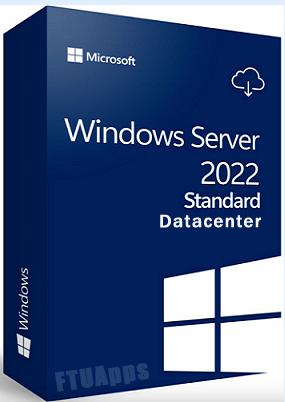
| 7905 Windows Server 2022 22H2 Build 225110 (x64) Multilingual-35 Pre-Activated May 2022 (ส่งลิงค์โหลด) |
|---|
|
เลื่อนดูรายละเอียดเพิ่มเติม
|
| รายละเอียดสินค้า |
|---|
|
== ขนาดไฟล์ใหญ่กว่าแผ่น ฝากไฟล์ส่งลิงค์ให้ดาวโหลดเท่านั้น== 4 In 1 รองรับ 35 ภาษา 4 In 1 | 35 Languages | Untouched | PreActivated Windows Server 2022 22H2 Build 225110 AIO x64 Multilingual-35 PreActivated May 2022 Editions Included: - Windows Server 2022 Standard x64 - Windows Server 2022 Standard (Desktop Experience) x64 - Windows Server 2022 Datacenter x64 - Windows Server 2022 Datacenter (Desktop Experience) x64 What's New: - What's in this build Languages: - Arabic (Saudi Arabia) - Bulgarian (Bulgaria) - Czech (Czech Republic) - Danish (Denmark) - German (Germany) - Greek (Greece) - English (United States) - Spanish (Spain) - Estonian (Estonia) - Finnish (Finland) - French (France) - Hebrew (Israel) - Croatian (Croatia) - Hungarian (Hungary) - Italian (Italy) - Japanese (Japan) - Korean (Korea) - Lithuanian (Lithuania) - Latvian (Latvia) - Norwegian (Norway) - Dutch (Netherlands) - Polish (Poland) - Portuguese (Brazil) - Portuguese (Portugal) - Romanian (Romania) - Russian (Russia) - Slovak (Slovakia) - Slovenian (Slovenia) - Serbian (Latin, Serbia) - Swedish (Sweden) - Thai (Thailand) - Turkish (Turkey) - Ukrainian (Ukraine) - Chinese (Simplified, China) - Chinese (Taiwan) Operating System: - Processor: 1 gigahertz (GHz) or faster. - RAM: 2 gigabyte (GB). - Free space on hard disk: 32 gigabytes (GB). Install Notes: - Starting installer in PC (via USB) - Follow the steps given below: - Download the Windows ISO image file. - Install a USB bootable creation software (such as Rufus) on your Windows computer. - Plug in a USB flash drive (at least 8GB of free space) to your computer. - Open the USB bootable creation software, and select the ISO image file of Windows, and start the process. - Plug the bootable USB into a system where you want to install Windows. - Restart the computer. - Press the boot device menu key and select USB to boot first. - Select USB device and start the Windows installer.     |
| ภาพสินค้า |
|---|
|
20 บาท
|
Url: https://programdeedee.com , Email: program@programdeedee.com